TeamHaven Mobile Platform
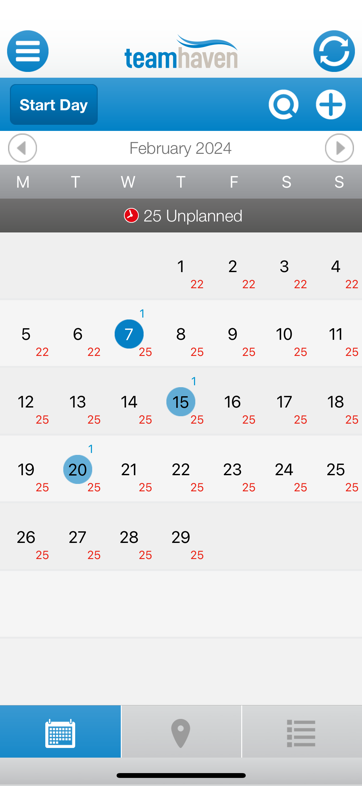
There are 3 tabs, the first shows the calendar view of available calls, each day shows completed and available calls
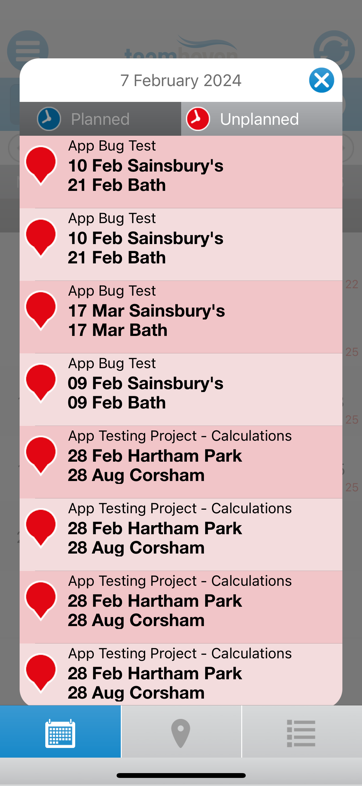
If you click on a day or unplanned calls it will show you a list of calls, a call can be started from any list
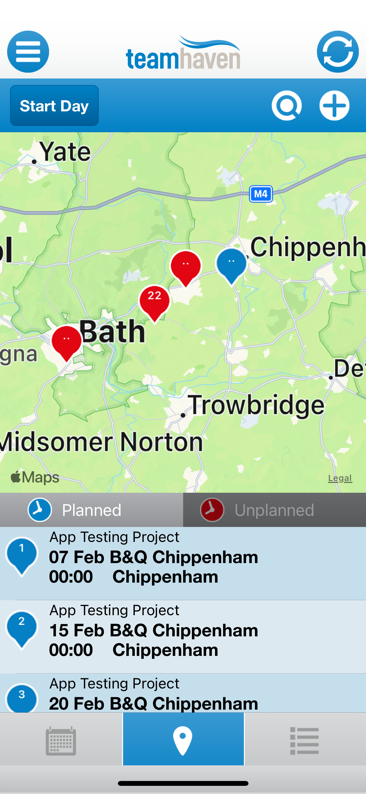
The 2nd tab shows the map view of where the calls are located
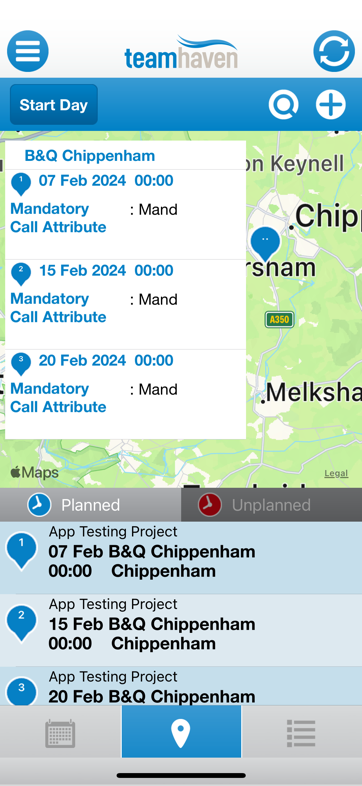
If you click on a map icon, it will show you a list of calls at that place
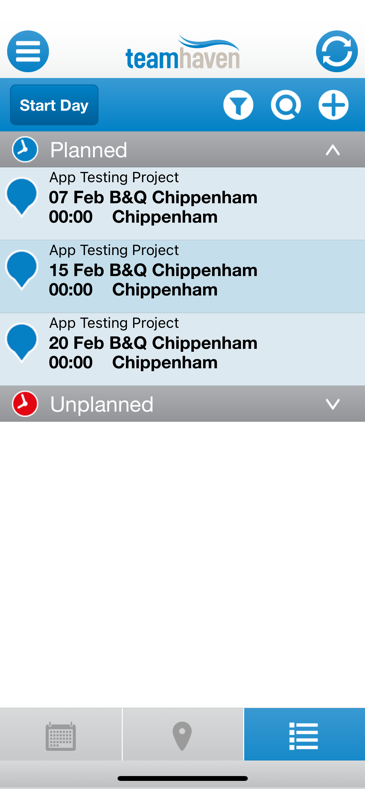
The 3rd tab shows a list of calls
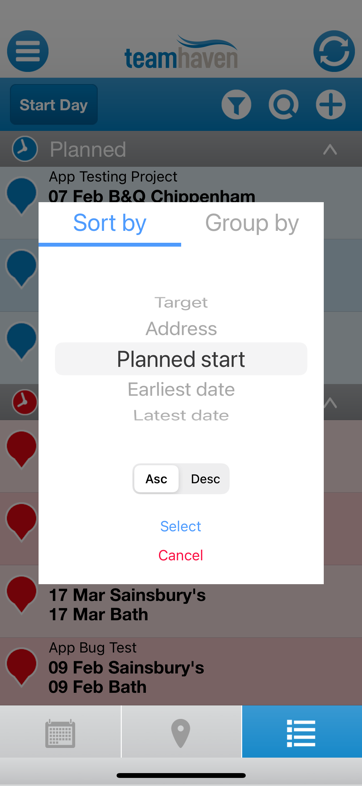
These can be sorted in numerous ways
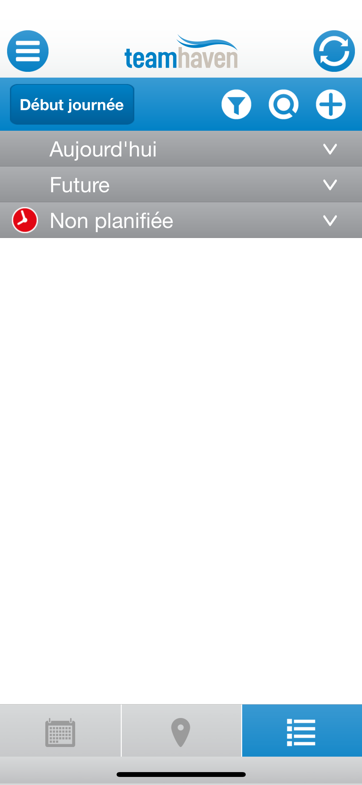
Or grouped by various attributes, here they are grouped by date and the app language is set to French
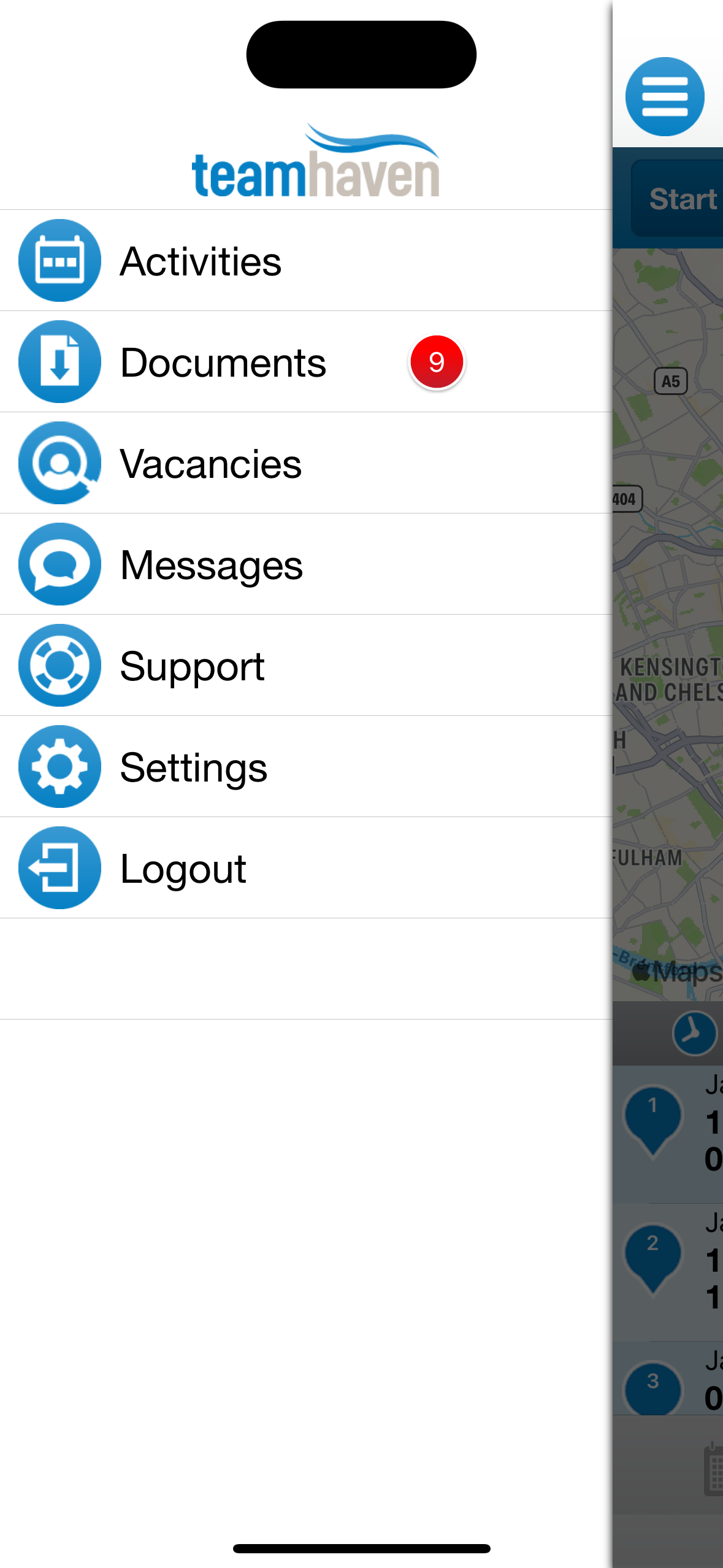
The hamburger menu gives access to various side tasks, these mostly lead to table, child style views of messages or documents
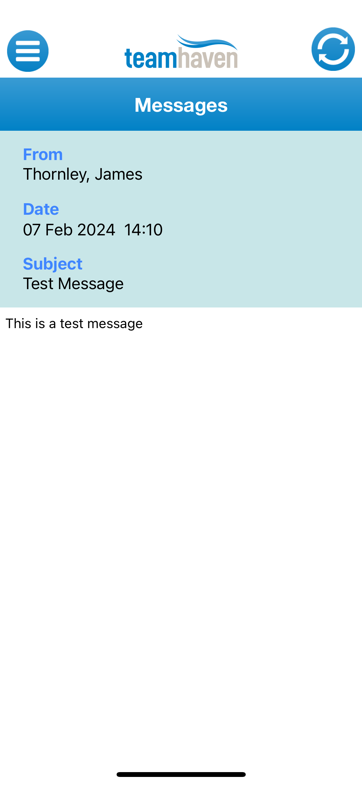
Here is the messages option for example
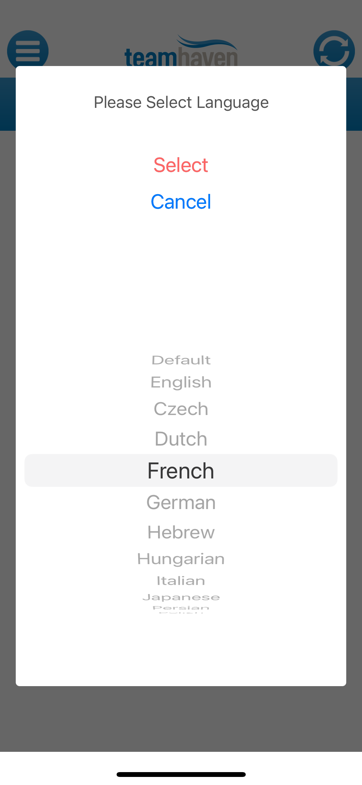
Inside settings, you can set the language of the app with all translations downloaded from the TeamHaven website
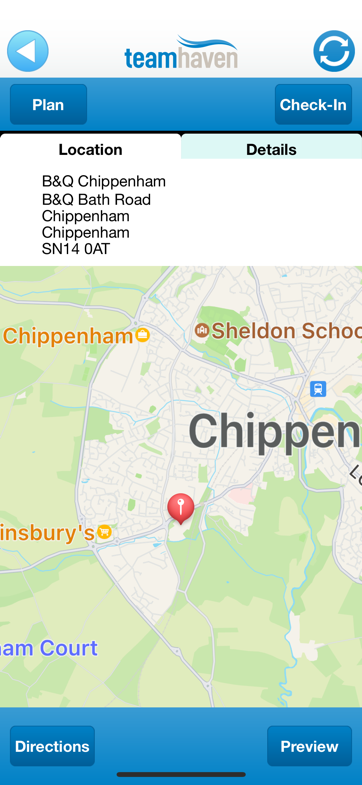
If you click on a call you can view its details and change planning, get directions, or start the call
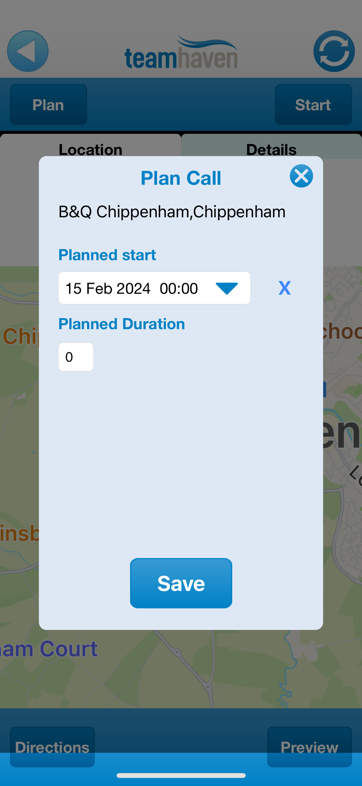
Here you can change the start date or time
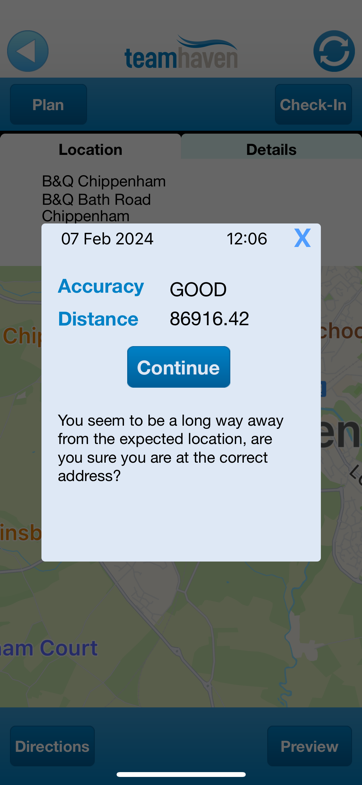
When you start the call it will record your location and the time the call was started

When you start the call you will see a list of forms to be entered
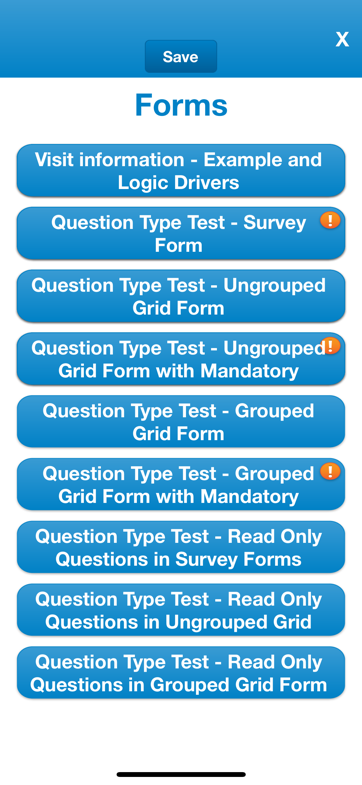
And every customer's forms will look different; it's composed online
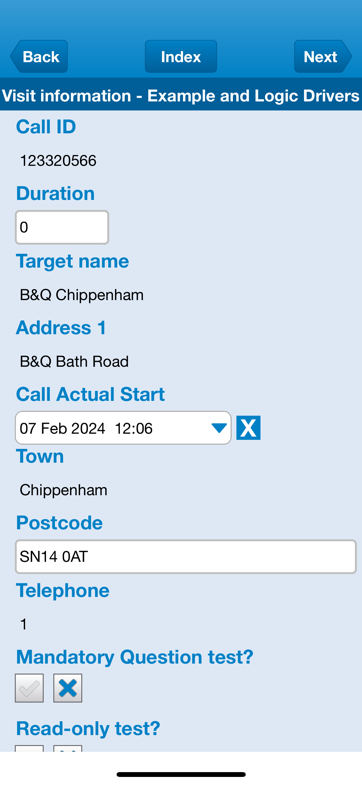
When you get in, the forms look like this; each one can be different and is defined online by the user
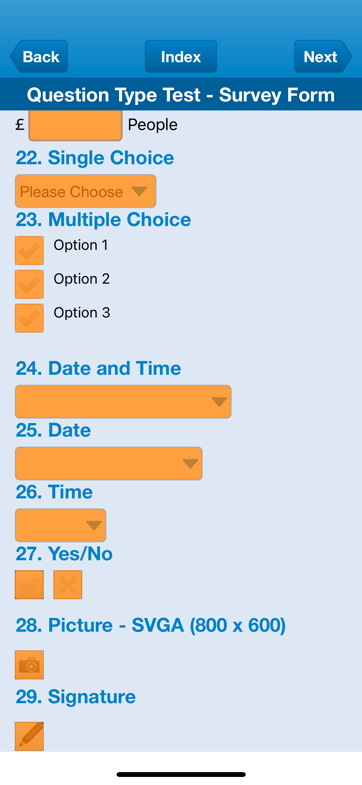
Here's one with lots of mandatory fields, for example
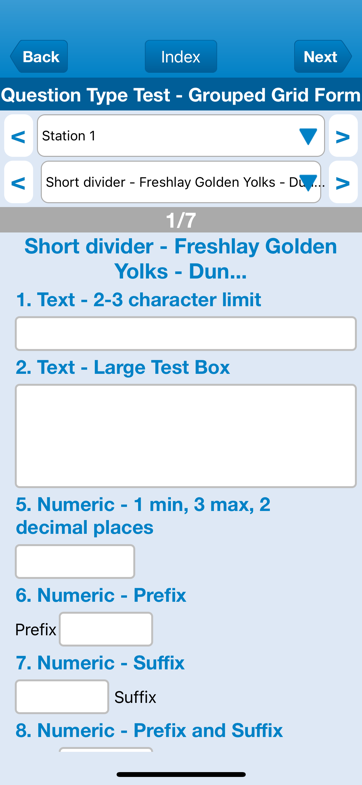
This is a paging form, so you fill out the same data for many items by moving through them
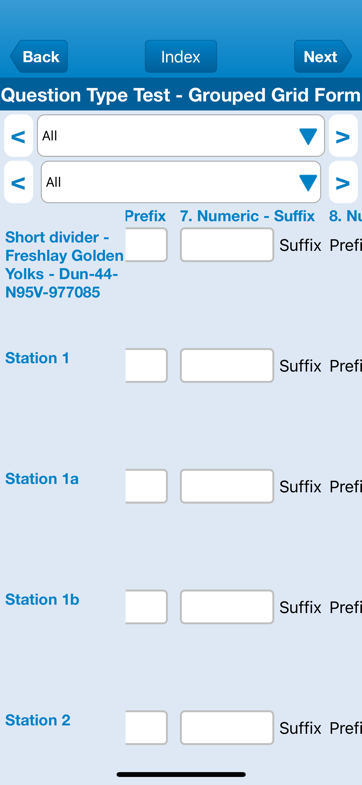
Selecting 'All' lists the data as a grid, with the item names down the left. The row and column headers remain fixed while scrolling, which is technically challenging on both Android and iOS.
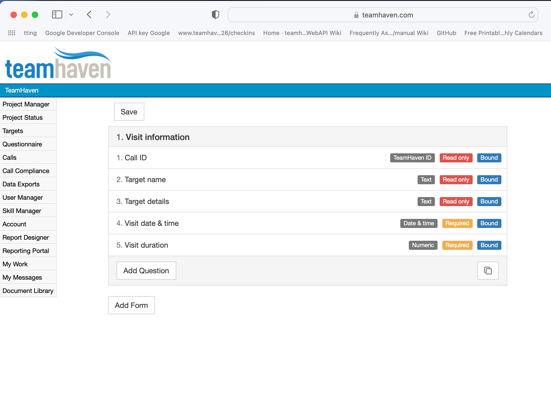
This is the online system defining the questionnaire; here you can see only one form is defined

Here is that one form on the app
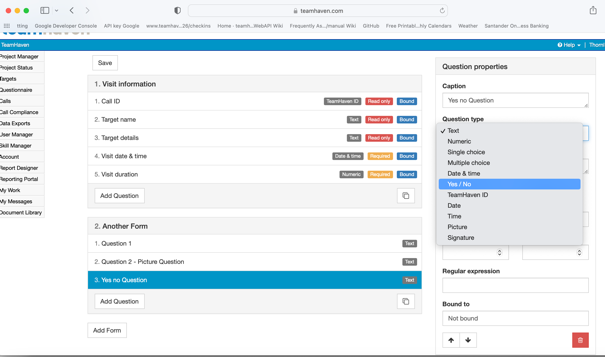
Here you can see a second form is defined
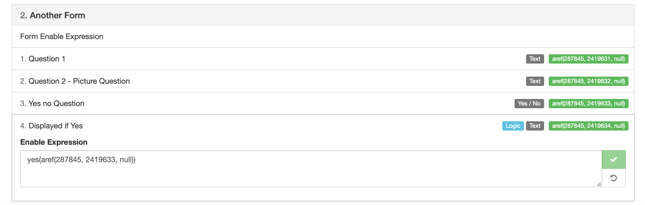
These are the questions that will appear in that form

You can see that the new form has appeared on the app
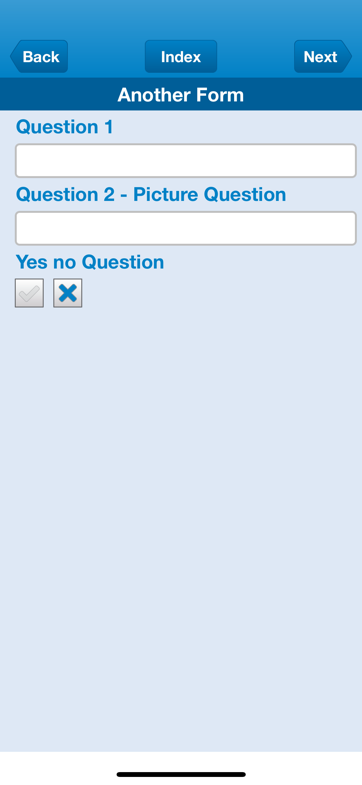
Here is the data in the form as defined
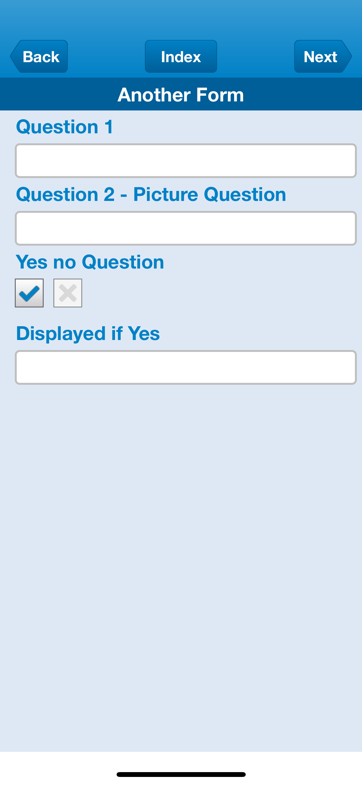
'Logic' is used; the final field only appears if 'Yes' is selected. Logic can be driven by and applied to any field using 'Eq', 'Entered', 'Yes/No', 'GT', 'LT', and even regex
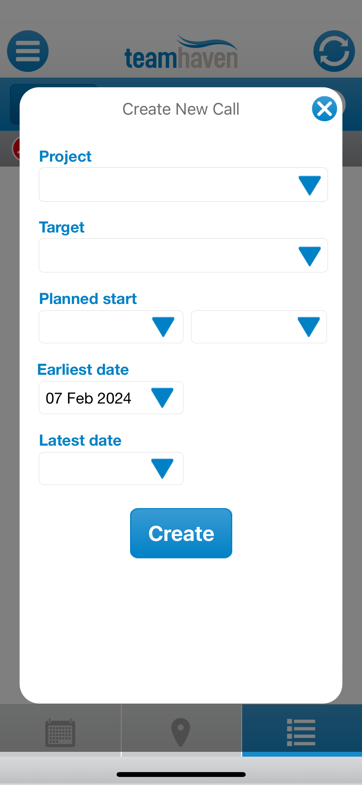
New Calls can be created
Sole Mobile Programmer (iOS/Android) for the central offering of TeamHaven LTD
In 2011, TeamHaven contracted me to write their mobile app, based on their Windows ME version.
Their customers are big retailers like HP, Nestle, and Amazon-any company that sends staff to check product placements, or sales promotions, or installers of products. These are people who used to fill out forms on paper before manually entering the data later.
TeamHaven allows the managers to define a questionnaire consisting of a number of forms with questions ranging from text and multi-choice to photos or signatures.
The app is incredibly flexible and data-driven, so there is a balancing act between performance and memory usage. I have been responsible for all architectural design, performance tuning, issue fixing, and added functionality since then.
I designed the apps to be 100% functional offline; all data is stored in SQLite, and there are threads sending data to the server in the background.
Since the first versions of both apps in Java and Objective-C, I have been responsible for adding functionality such as:
- Biometrics
- Barcode reading
- Notifications
- Ability to view data in calendar, map, or list formats
- Ability to sort and group data in lists
- Redesigned the look and feel according to graphical designs
- Check-in functionality which allows an independent thread to upload data outside of the normal synchronization
- Prevention of Mock Locations
- Connection to selected navigation apps
- Support for multiple languages
- Ability to create new calls from within the app
- Ability to log the start and end of a day
- Rewrite of Objective-C to Swift
- Rewrite of Java to Kotlin
- Multiple changes in response to requests from clients
- Multiple fixes to reported issues
I have been 100% responsible for both apps in a unique environment. It is unique because everyone who uses this app uses it all day every day to do their jobs. Therefore, any issues are reported and need to be fixed as they affect people's ability to do their job. It also means I have to ensure there are no memory leaks, as the app is used continuously and performs well and efficiently, regardless of the complexity of the questionnaires that are configured by the end users.
This experience is directly relevant to my mobile app maintenance services, especially for businesses that need long-term support, modernisation or rescue work on complex iOS and Android applications.
James is a great person to work with. He's always looking to come up with new solutions and has helped us in tackling very complex problems. I have worked closely with James for the last five years and our company has worked with him for a total of 13. James has created, maintained, deployed, and continuously improved several highly complicated and dynamic iOS and Android applications for us. James is fantastic at working under pressure and has never failed to deliver a quick solution when we have needed one. James has a brilliant can-do attitude and is very self-motivated, which makes him extremely easy to work with. We've thrown a great number of weird, wacky, and tricky tasks at him over the years and each time he has risen to the challenge and provided us with solutions that have exceeded our expectations.
Georgie Grimes
Marketing Manager
Project information
- Category Field Automation Software
- Client TeamHaven LTD
- Project date 01/03/2011 to now
- Visit Website
- Technology Android, Kotlin, Java, iOS, Swift, Objective-C, SQLite, Apple App Store and Google Play Store, SwiftUI, Combine, Concurrency, Jetpack Compose, Kotlin coroutines, Kotlin Flow